Product overview
From order to delivery, all in one.
In the order an order travels: from a DM to shipping and payment, then on to your website, memberships, stores and team. Every screen here is from the real product (shown in Chinese).
Every plan has all of these; plans differ in orders a month and accounts. Items marked SO PEAK are the store-team tools. Compare plans
Create orders
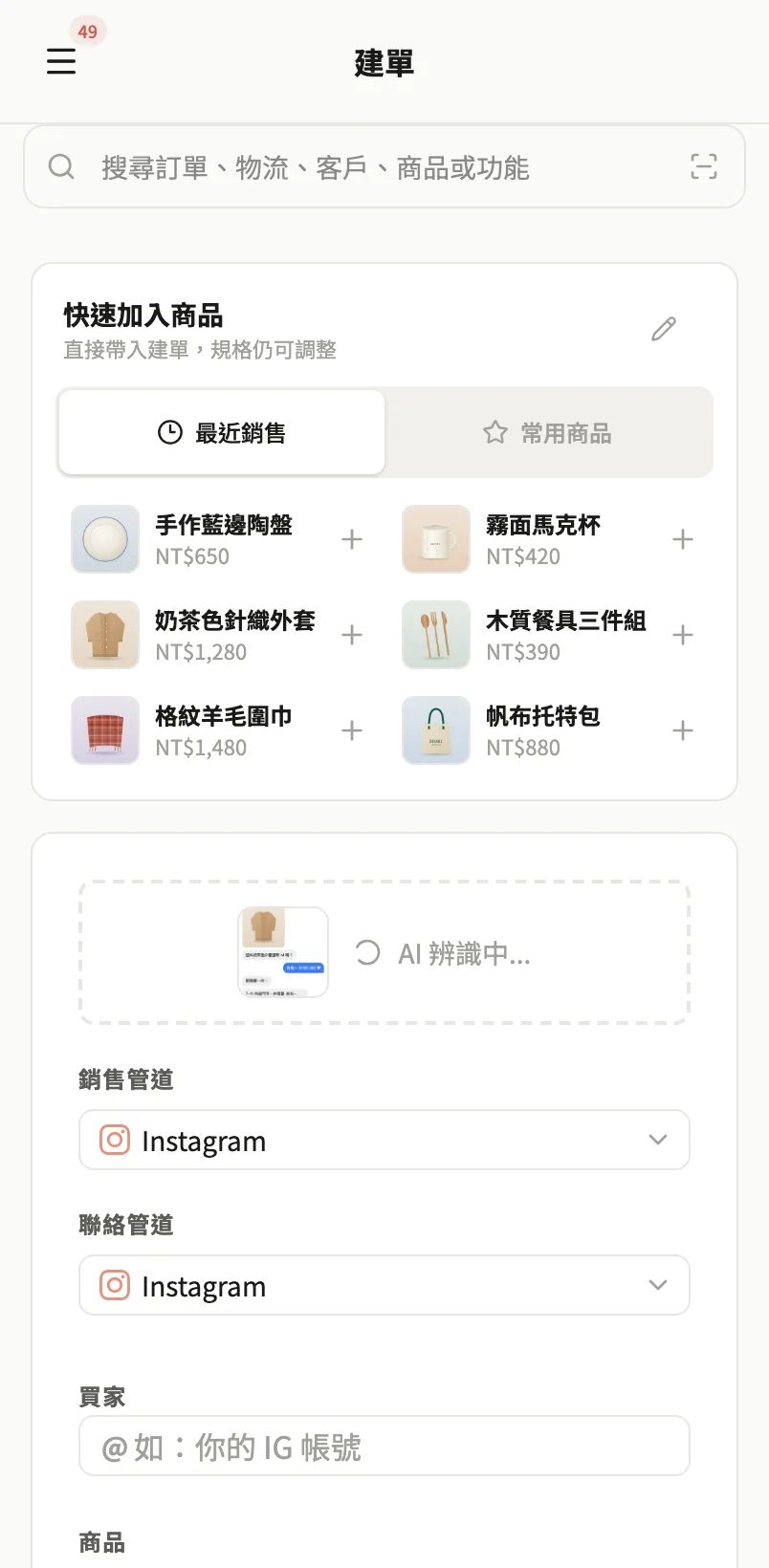
Drop in a chat screenshot, and the order is done.
AI fills in the order from an Instagram or LINE chat screenshot, and you check it before confirming. Type a few letters and a regular's details come up.
- AI orders from screenshots (Instagram, LINE)
- Type a few letters to bring up regulars and best-sellers
- Copy the message and order link in one tap
- See where every order stands on one board
Customer order pages
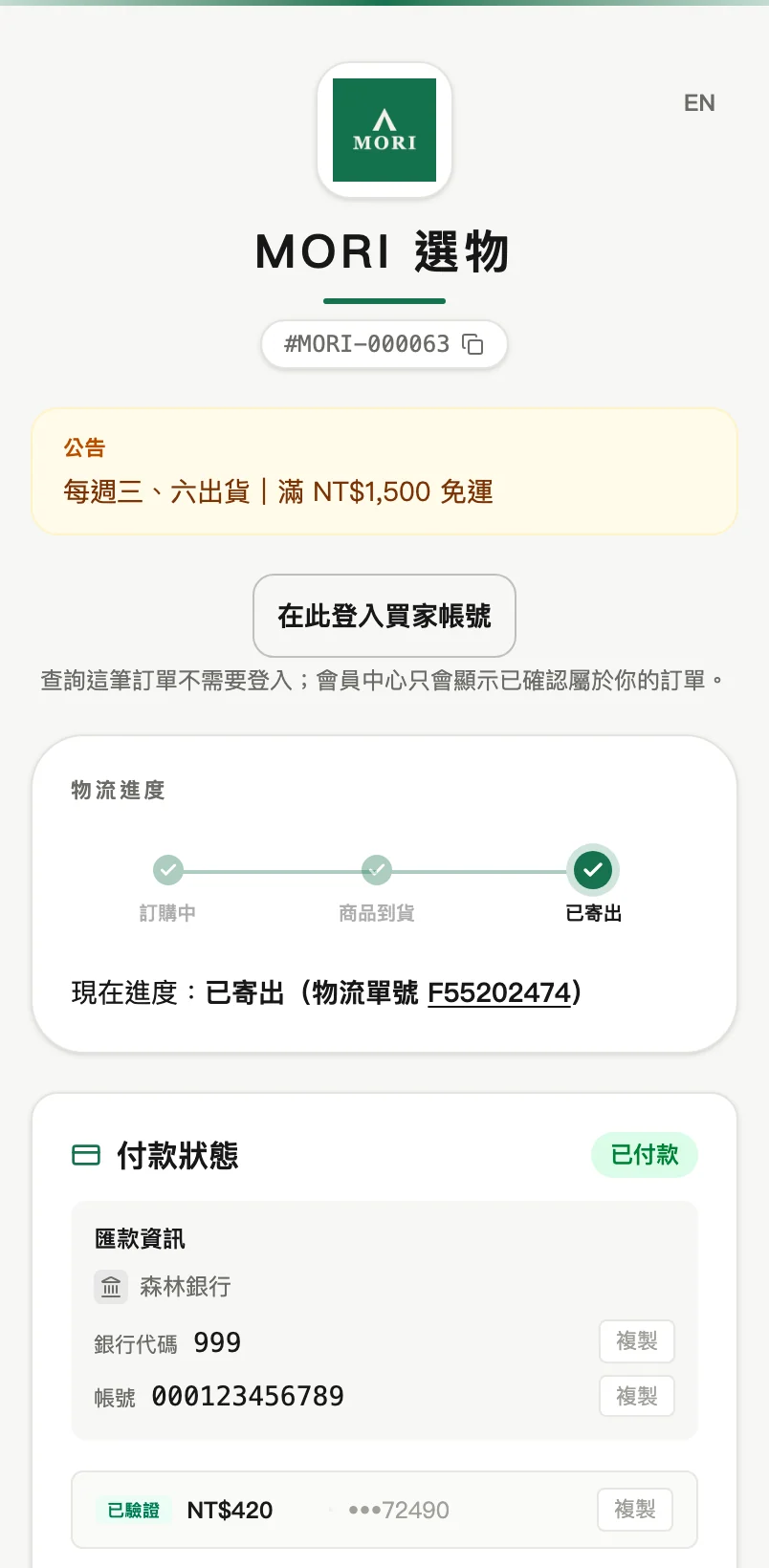
No website needed: every customer gets their own order page.
One link per order, with no login and nothing to download. Customers track progress, choose a pickup store and report payment themselves.
- Delivery progress and tracking numbers
- Customers choose their own 7-Eleven or FamilyMart store
- Report a transfer's last 5 digits or upload a receipt
- Shipping emails sent automatically (when the customer left an email)
Payments
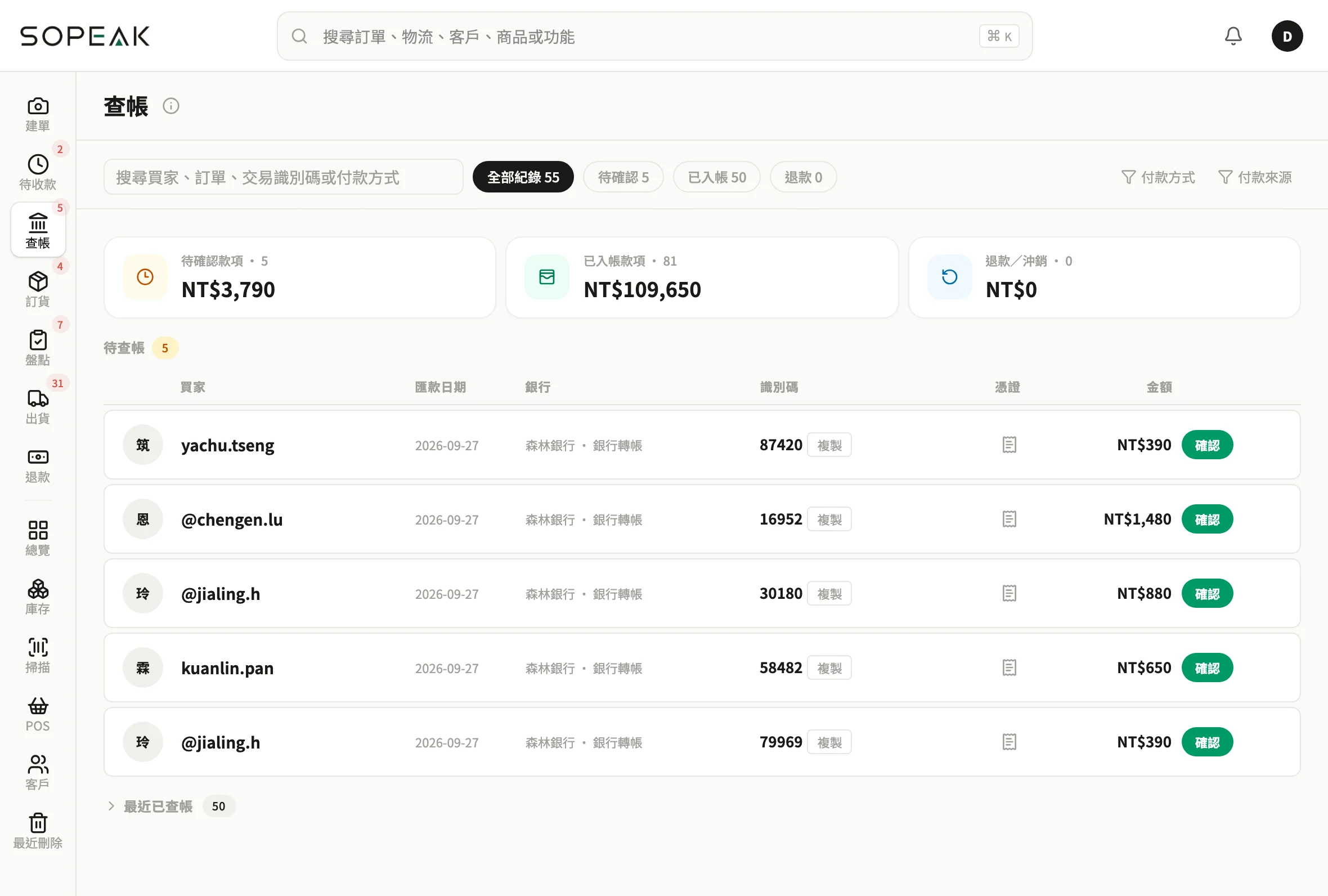
Too many transfers to check? One tap and it's booked.
Customers send the last 5 digits of their bank transfer or upload a receipt; you glance and tap Confirm, with no more going through your bank statement line by line.
- Match transfers by their last 5 digits, confirm in one tap
- Several bank accounts, with your default filled in on every new order
- LINE Pay, cash on delivery, deposit plus balance
- Auto-cancel unpaid shop orders
Purchasing & stock
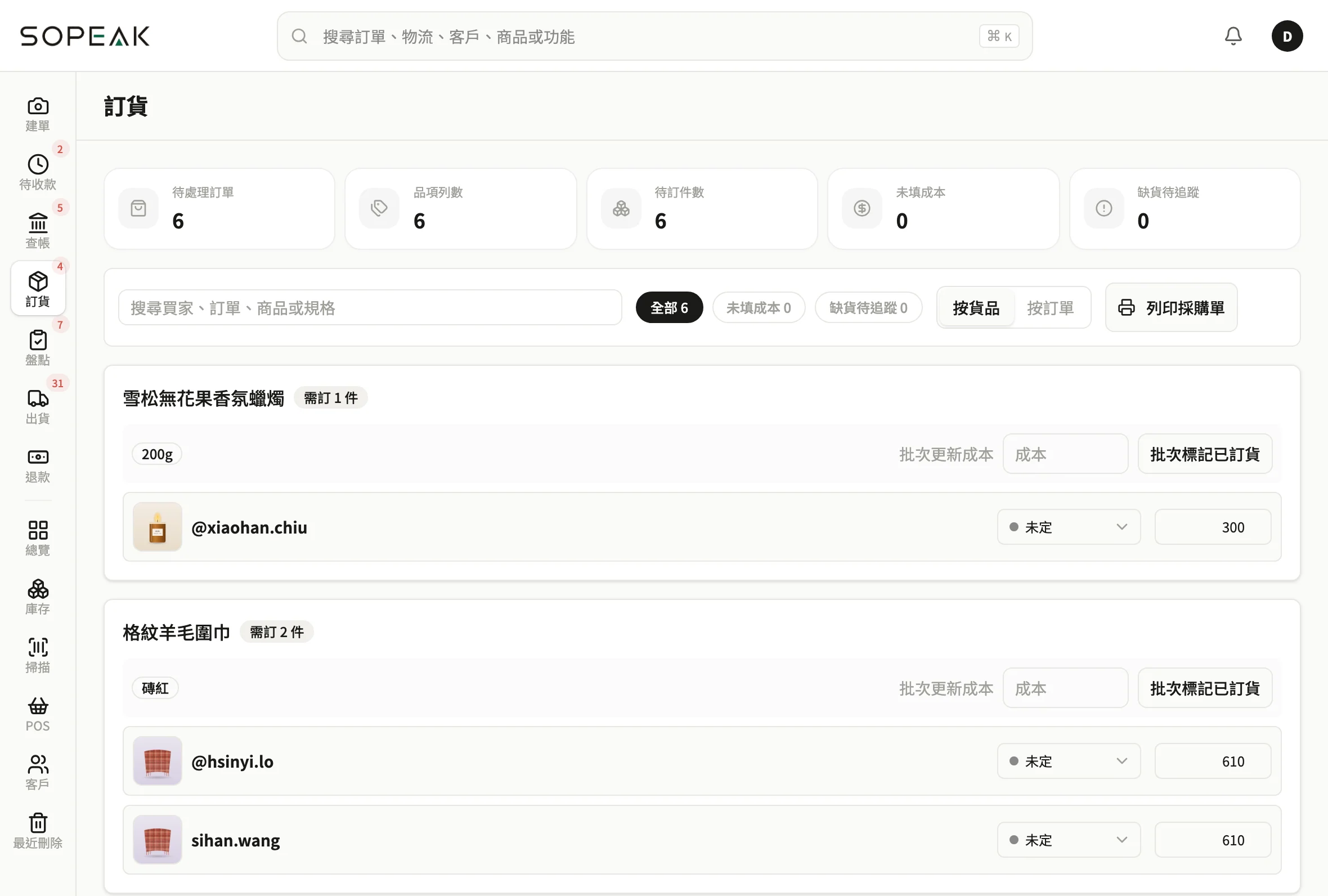
Every item you need to order, remembered.
Out-of-stock items go onto your purchase list automatically. When stock arrives, one check-in tells you which order each piece belongs to.
- Purchase lists and A4 purchase orders
- Check in arrivals, matched to every order
- Stock, barcode labels, receiving history
- 3D storage map: look up which shelf anything is on
Shipping & returns
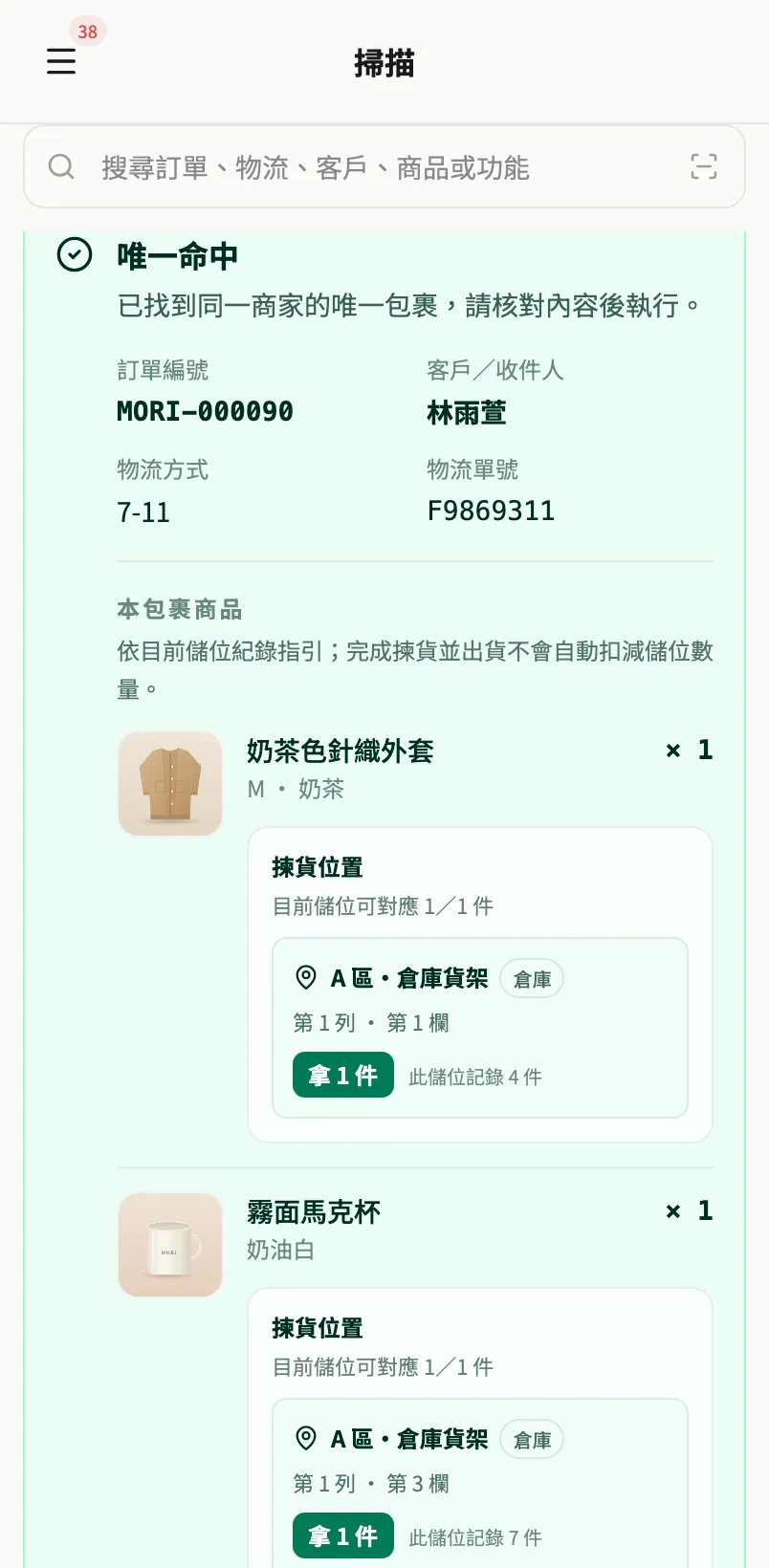
Scan to ship. Scan returns, too.
Scan the wrong item and a full-screen warning pops up. Scan a returned parcel and you know whose it is and where it goes.
- 7-Eleven store-to-store and MyShip: export, labels matched automatically
- 7-Eleven, FamilyMart, T-cat, SF Express and meet-ups, each with its own shipping fee
- Scan-to-ship and scan-in returns
- See who picked it, who shipped it and when
Brand website
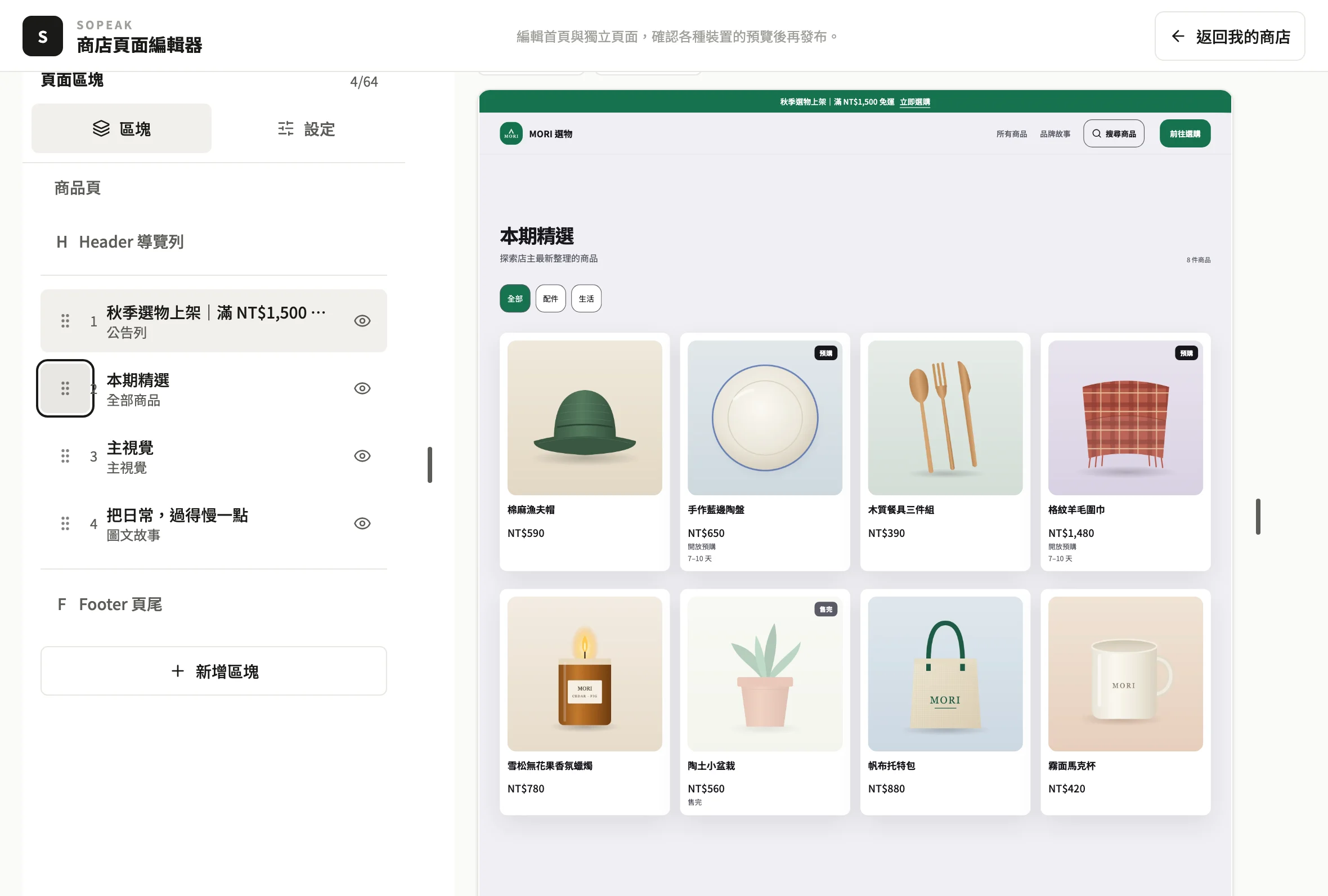
Drag, drop, and the website is yours.
Drag blocks into order, choose layouts and colors, add slideshows and video, and preview on phone and desktop before you publish.
- Drag-and-drop editor, publish history
- Coupons, spend-and-save discounts
- Your own HTML, scheduled launches, site passwords
- Custom domain Coming soon
Memberships
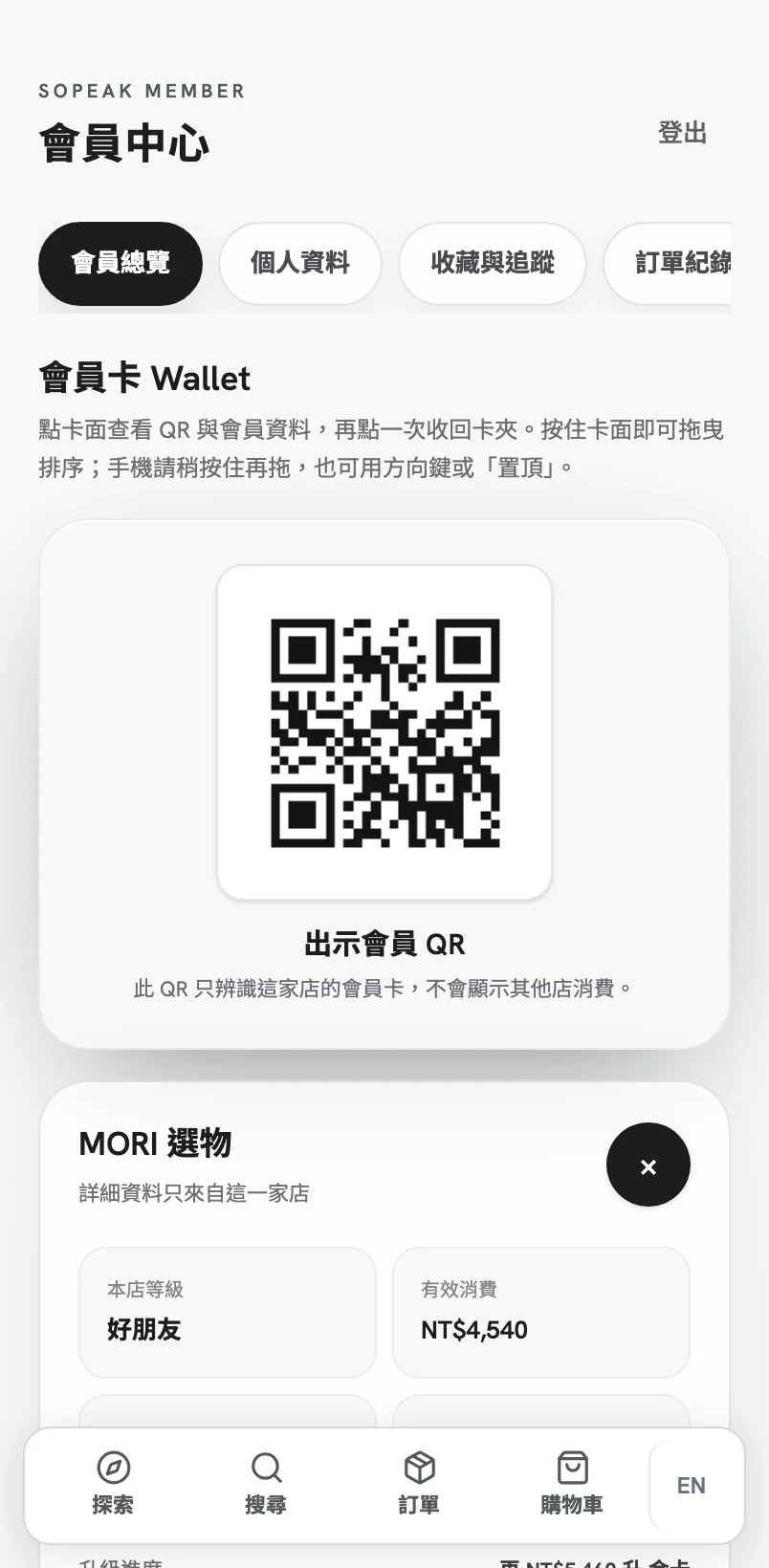
Buy once, and they'll want to come back.
Set your own tiers, discounts and member cards. Customers add the member center to their home screen, and it works like an app.
- Member tiers and discounts, member card design
- Store credit
- One Sopeak account holds every shop's member card
- Members-only items, early access for chosen members
In-store POS
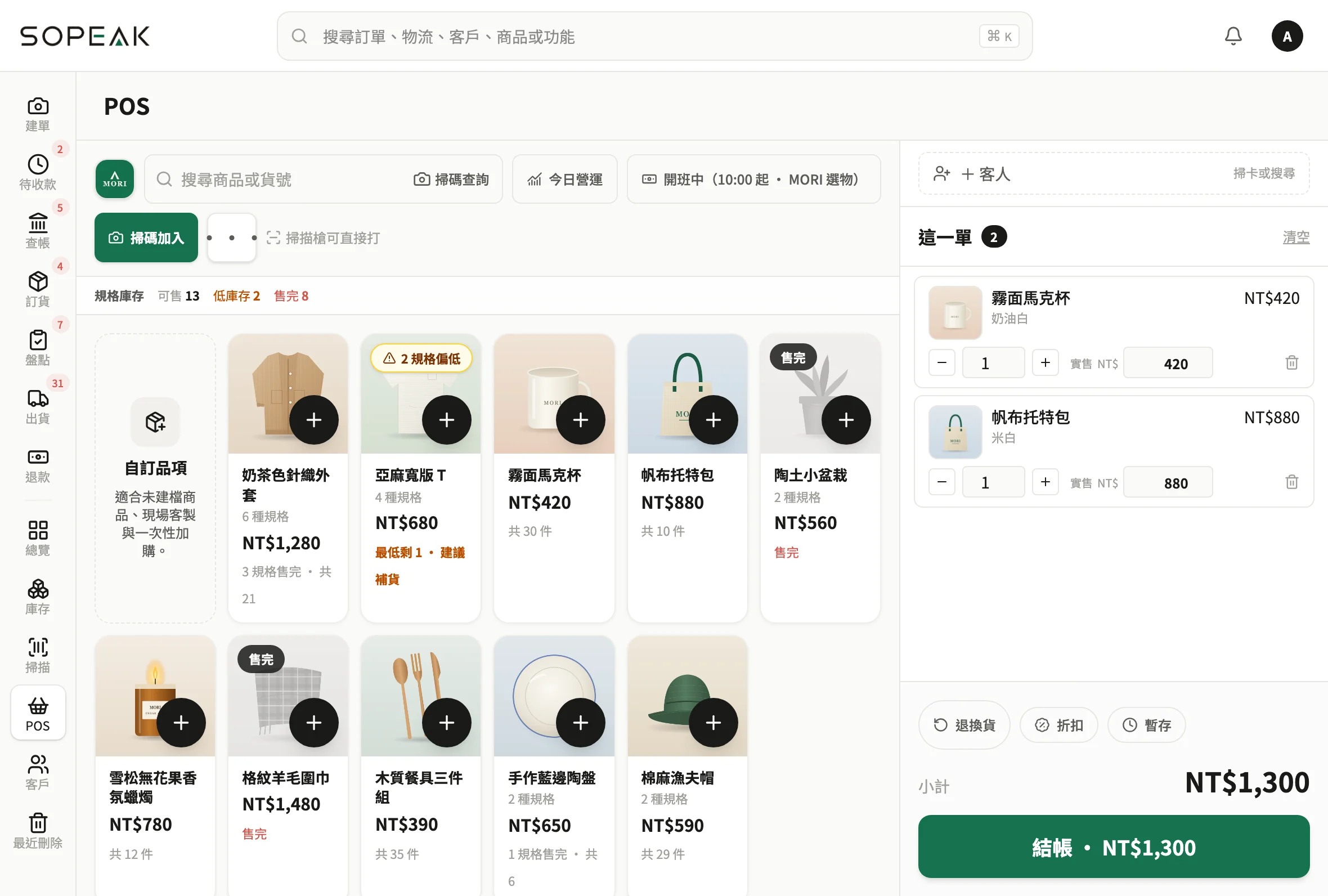
No register to buy. Check out on a phone or tablet.
Works at pop-ups, markets and permanent stores. Scan a member's card and their details come up.
- Check out on a phone or tablet
- Staff discount limits, manager PIN approval SO PEAK
- Cash drawer shifts, cash counts SO PEAK
- Exchanges in one checkout, settling the difference SO PEAK
Staff & permissions
What staff can see and do: you decide.
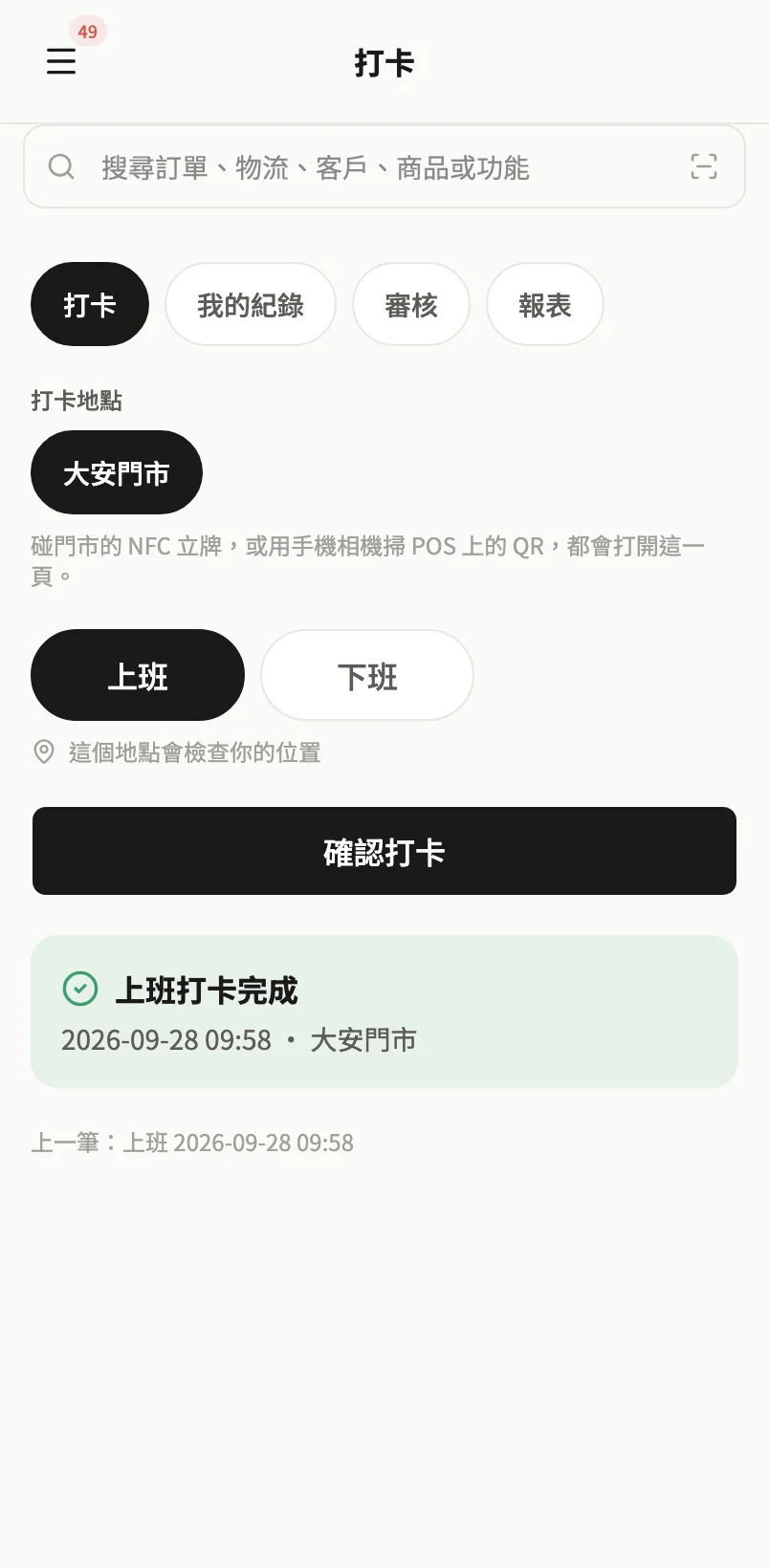
Apply role permissions in one tap; by default only the owner sees the financials. Clock-in works by NFC, rotating QR code or GPS, so nobody can clock in for a colleague.
- Role permissions (counter, warehouse, store manager)
- Permissions set item by item
- Staff clock-in
- Clock-in checks: NFC, rotating QR, store network, GPS SO PEAK
- Payroll and leave SO PEAK Coming soon
Revenue reports
What you made, the moment you look.
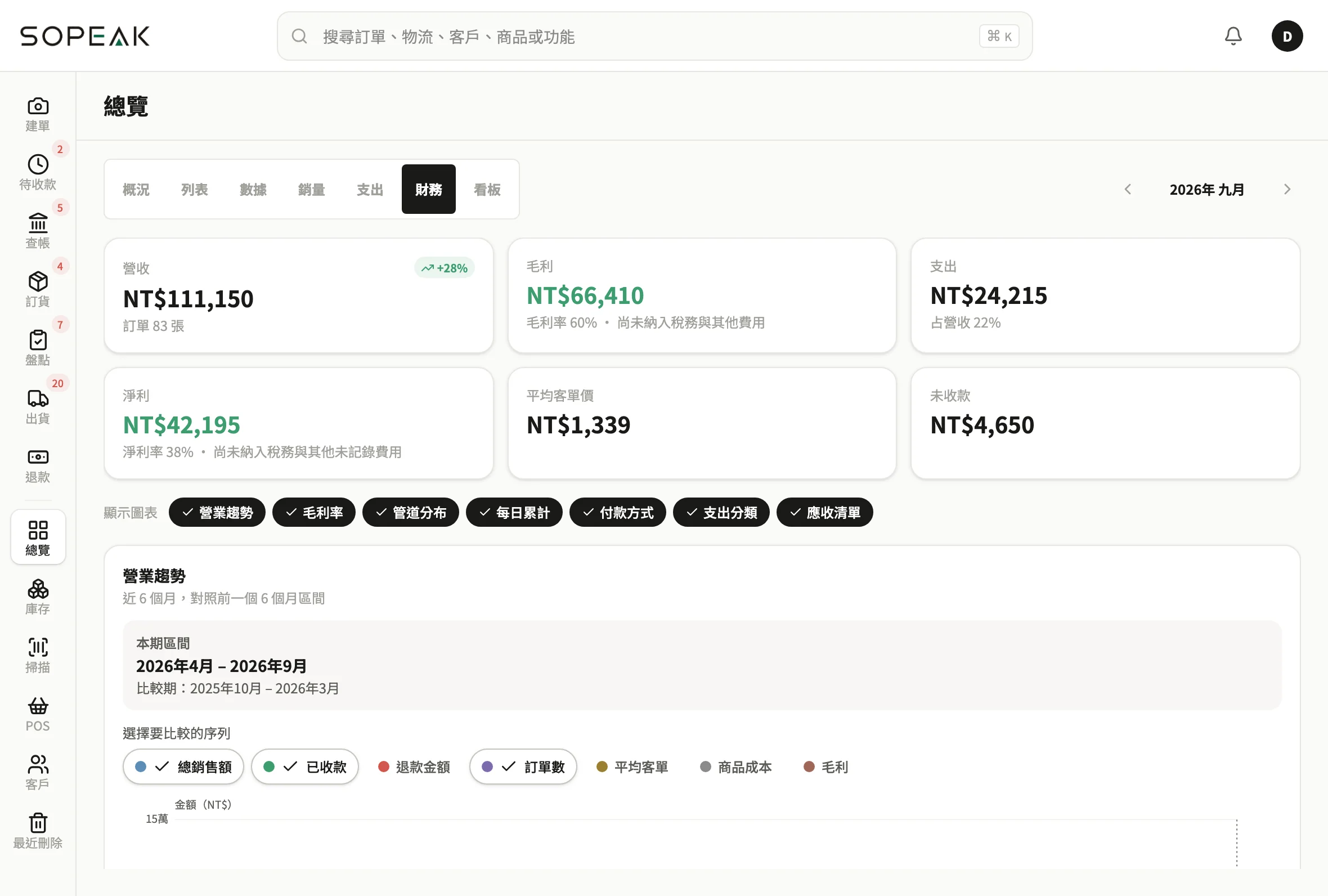
Revenue, gross margin, expenses and net profit are worked out for you, with the last 6 months' trend at a glance.
- Revenue, orders, average order value
- Gross margin, expenses, net profit
- 6-month revenue trend
- Financials can be kept owner-only
Start today
Start today,
and get back to your business.
We've sold online ourselves for ten years. We brought together a team of brilliant engineers and built this for you.
After the trial you're back on SO FREE with all your data. Pick a plan to keep going.